Understanding bioinformatics file formats
Overview
Teaching: 20 min
Exercises: 30 minObjectives
Recognise common bioinformatics file formats from their structure
Choose the right terminal command to inspect a given file type
This lesson introduces the common file formats you’ll encounter in bioinformatics, and the terminal commands you’ll use to look safely inside them. It’s good practice to check the contents of your data files and run regular “sanity checks” to make sure you understand what you’re working with.
Video 1: An overview of common formats
Watch the Video 1 below (9 minutes) that covers file formats commonly used in bioinformatics.
Exercise 1 - Name the format
Below are short, anonymised snippets. For each one, identify the file format and name one specific clue in the snippet that gave it away (a symbol, a line count, a keyword, a column pattern).
Snippet A
@read_001
ATGCGTACGTTAGCATGCTAGC
+
IIIIIIIIIIIIIIIIIIIIII
Snippet B
contig_1 length=4521
ATGCGTACGTTAGCATGCTAGCATGCATCGATCGTAGCTAGCATCGATCG
Snippet C
contig_1 Prodigal CDS 50 409 . + 0 ID=gene_1;product=hypothetical protein
Solution:
A: FASTQ. Exactly 4 lines per record:
@identifier, sequence,+separator, quality string of the same length.B: FASTA. Starts with
>followed by a header, then one or more lines of raw sequence.C: GFF/GTF. Tab-separated, 9 columns, describing a genomic feature (here a coding sequence, CDS) with a start and end coordinate.
Bonus Exercise
Here is a FASTQ record someone sent you, claiming their pipeline is failing on it:
@read_042
ATGCGTACGTTAGCATGCTAGCATG
+
IIIIIIIIIIIIIIIII
What’s wrong with this record? Why would this cause a downstream tool (e.g. a quality-checking program) to fail or produce nonsense results?
Solution:
The sequence line has 25 characters, but the quality line only has 18. They must always be the same length, since each quality character corresponds to exactly one base. A file with mismatched lengths like this is corrupted, and most tools will either crash outright or silently misinterpret which quality score belongs to which base. This is a good example of why visually inspecting data is important.
Video 2: FASTA, FASTQ, and metadata in more depth
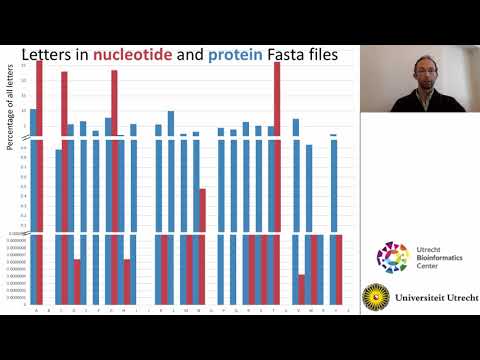
Watch Video 2 (11 min) below. It provides more information about FASTA, FASTQ, quality scores, metadata (TSV) files, and compressed files.
Viewing file contents in the terminal
In the Terminal Basics lesson, you learned how to navigate the filesystem and combine commands with pipes (|) and >. Video 2 introduced a few commands specifically for looking inside files. You’ll use these constantly for the rest of the course. Let’s use these to look at our sequencing data.
cat file.txt          # print the whole file to the screen
head -n file.txt      # print the first n lines
tail -n file.txt      # print the last n lines
less file.txt         # open the file for scrolling — press q to quit
Exercise 2 — try it on a real file
Use the command to inspect
Viromics2026_workspace/workspace_contents.txt.
- Print the contents of the file to the terminal.
- Print the first 8 lines to the terminal.
- Open it with
less.
Solution
cat workspace_contents.txt.head -8 workspace_contents.txtorcat workspace_contents.txt | head -8.less workspace_contents.txt. Pressqto exit.
Viewing .fastq.gz files using the terminal
Your sequencing files are gzip-compressed, so cat/head/tail/less won’t show anything readable if you use them directly (try it: cat <your-sequencing-file>.fastq.gz | head). Instead, you need to decompress on the fly instead, using the z-prefixed versions of the same commands.
WARNING. Decompressing files is computationally expensive.. This means you cannot do it on a login node, which are used by all Draco users. Instead, you must request a computational node with
srun:
srun --time 02:00:00 --pty bash # do not forget this step!
zcat file.fastq.gz | head -10
zcat file.fastq.gz | tail -10
zless file.fastq.gz    # scroll with arrow keys, quit with q
Exercise 3
Choose the
condition2.fastq.gzfile from your data/sequences/ folder and answer:
- How many lines does this file have?
- How many sequences (reads) are present in the file?
Solution
zcat file.fastq.gz | wc -l- Total lines ÷ 4 = number of sequences/reads, since every FASTQ sequence has exactly 4 lines.
You’ll also sometimes want to search inside a file for lines matching a pattern — grep does this for plain text, and zgrep does the same for gzipped files:
grep "search_term" file.txt
zgrep "search_term" file.fastq.gz
zgrep -c "search_term" file.fastq.gz    # -c counts matching lines instead of printing them
Exercise 4 — counting things
Using
grep/zgrep,wc -l, and what you know about FASTQ structure:
- Count how many read identifier lines (
@...) appear incondition2.fastq.gz. Does it match the read count you calculated in Exercise 3?- Pick a second
.fastq.gzfile indata/sequencesand repeat the read count. Which of your two samples has more reads?
Solution
zgrep -c "@" file.fastq.gz # careful: quality lines can also contain "@" characters!.Counting lines that merely contain
@can overcount, since@is also a valid quality-score character and may appear in the quality line by chance. Counting total lines and dividing by 4 (as in Exercise 3) is the correct approach for FASTQ files: a good practical lesson in why naive pattern-matching can mislead you, even when it seems to work most of the time.
Pick the right tool
Discuss the following question with a neighbour:
Exercise 5
For each file below, which command would you reach for first to peek inside it safely, and why?
sample_metadata.tsv(a small plain-text table, a few KB)virome_01.fastq.gz(a compressed sequencing file, several GB)assembly.fasta(an uncompressed file, a few MB)
Solution
cat sample_metadata.tsvor open it directly in the VS Code editor — small and plain-text, either is fine.zcat virome_01.fastq.gz | headorzless virome_01.fastq.gz— compressed and large, so stream it rather than opening it directly.less assembly.fastaorhead assembly.fasta— uncompressed and reasonably small.
Key Points
The most common file formats are FASTA (nucl. and amino acid), FASTQ, SAM/BAM, VCF, GFF/GTF, BED, and plain TSV metadata tables
A valid FASTQ record always has 4 lines, with the sequence and quality lines the same length — mismatches signal a corrupted file
cat, head, tail, and less view plain-text files. zcat, zless, and zgrep do the same for gzip-compressed files
Match your inspection tool to the file